New   CE Health Check — fixed-scope D365 diagnostic with full retainer credit — see the offer →
AI Consultant for Small Business  ·  CRM-Grounded · Fixed-Scope

AI Consultant for Small Business
— built on your CRM data, not a generic demo.

Most AI consulting starts with a vendor pitch and ends with a proof-of-concept that never ships. We start from your Dynamics 365 CE data — contacts, accounts, activity history, pipeline — and build features that run there. Fixed scopes, principal-led delivery, production in weeks.

AI Readiness Audit · Fixed-scope builds · Monthly retainer

What an AI consultant actually does for a small business

Not strategy decks. Not vendor evaluations. The practical work of identifying where your team loses hours each week and connecting an AI feature to that specific workflow.

Most small businesses don't need AI in the abstract — they need three or four specific things to stop being manual. The role of a practitioner-led AI consultant is to locate those things, determine what's actually buildable given your current data and systems, and ship features that reduce real operator burden.

The work breaks down into four phases: first, map the workflows where staff spend disproportionate time on low-judgment tasks. Second, audit your existing data — what's structured, what's accessible, what's clean enough to be useful. Third, scope a build that produces a working result in weeks, not quarters. Fourth, ship to production with monitoring in place so the cost doesn't surprise you at month-end.

The differentiator on the Dynamics 365 CE side is that your CRM already holds a decade of customer interactions — contact history, pipeline notes, email threads, service cases. That's the data most small-business AI projects waste months trying to reconstruct. If you're running D365 CE, you have a head start most people don't.

Where AI produces real results for small businesses

Specific to small-business operations — not enterprise transformation projects. Each of these is buildable in weeks on top of an existing D365 CE environment.

CRM COPILOT

Pipeline & Follow-Up Assistant

A Copilot Studio agent connected to your D365 CE opportunity records can draft personalized follow-up emails from the account's full activity history — call notes, last contact, open tasks — in seconds. A rep who manages 80 open opportunities can stop mentally reconstructing context for each one before writing.

Realistic outcome: Follow-up latency cut from 2–3 days to same-day on 80%+ of open opportunities, without adding headcount.
INTAKE AUTOMATION

Lead & Inquiry Processing

Inbound inquiries — web forms, emails, intake PDFs — arrive in inconsistent shapes. An AI intake flow reads each one, classifies it by service type, extracts structured fields (contact, company, need, urgency), creates the D365 lead record, and queues the right internal action. The person reviewing the queue gets a clean brief instead of a raw inbox.

Realistic outcome: Intake review time drops by 60–70%; nothing slips through unclassified during high-volume periods.
DOCUMENT PROCESSING

Contracts, Proposals & Reports

Teams that handle contracts, vendor proposals, field service reports, or scope-of-work documents spend hours extracting the same handful of fields each time. AI Builder's document intelligence or a custom LLM extraction pipeline reads the document, pulls the key values, and writes them to D365. Useful even at five documents a week — mandatory at fifty.

Realistic outcome: Manual extraction eliminated for standard document types; exceptions flagged for human review rather than buried in a queue.
INTERNAL SEARCH

Ask Your Own Knowledge Base

When your team's tribal knowledge lives in PDFs, SharePoint folders, email threads, and D365 notes, onboarding a new employee or answering a customer question takes longer than it should. A RAG (Retrieval-Augmented Generation) system over your internal documents lets staff query that knowledge directly — "what's our standard SLA for this customer tier?" — and get a cited answer from the actual source material.

Realistic outcome: Onboarding time shortened; repeat questions to senior staff drop as the knowledge base becomes queryable.
REPORTING

Pipeline & Operations Summaries

Monday morning pipeline reviews that require a manager to manually pull CRM data, format a table, and write narrative context are ripe for automation. A scheduled Power Automate AI flow queries D365 CE, generates a plain-English summary of what moved, what stalled, and what needs attention, and delivers it before the team meeting. The meeting becomes a discussion rather than a data-read.

Realistic outcome: Pipeline review prep time eliminated; leadership gets consistent, bias-free summaries rather than ones shaped by whoever assembled them.
SERVICE OPERATIONS

Field Service & Case Routing

D365 Field Service and Customer Service cases that come in through mixed channels — phone, email, portal — with inconsistent descriptions create triage overhead. An AI classification layer reads the incoming case, scores urgency, assigns the right queue based on service type and customer tier, and pre-drafts an acknowledgment response. Dispatchers work from a sorted, pre-triaged queue instead of raw volume.

Realistic outcome: Triage time cut on high-volume days; SLA misses from routing errors reduced without changing the underlying service team structure.
What AI won't do for your small business

The consultant who tells you where AI doesn't apply is more valuable than the one who finds an AI angle for everything. Here's where the realistic ceiling is.

AI won't fix a broken process

If your sales pipeline has no agreed-upon stages, if leads are entered inconsistently, or if your team doesn't follow a defined process for follow-up — AI will automate the chaos, not fix it. The Dynamics 365 CE work comes first. We offer a CE Health Check as a starting point for exactly this reason: understand what you have before deciding what to automate.

AI won't replace the judgment calls

Pricing decisions, customer escalations, hire/fire choices, strategic pivots — none of these belong in an AI workflow. The value of AI for small business is in removing the low-judgment, high-volume tasks that crowd out the high-judgment work. When we scope an engagement, we draw that line explicitly.

AI won't work without accessible data

An LLM connected to a CRM where 40% of records are incomplete, or a document AI pointed at a SharePoint folder full of scanned PDFs with no text layer, will produce unreliable output that your team correctly learns not to trust. Data quality isn't a prerequisite for starting — it's part of what we assess. But there's a minimum threshold, and we'll tell you honestly if you're not there yet.

AI won't produce zero-maintenance infrastructure

Every AI feature in production has operating costs (LLM API calls, compute) and maintenance requirements (prompt tuning as models update, monitoring for quality drift). We build with cost ceilings, logging, and documented runbooks precisely because this is real: the AI you ship in month one will need attention in month six. We scope for that reality upfront, not after the bill arrives.

How we work — and what it costs

Three shapes, all fixed-scope before work begins. No open-ended time-and-materials that expand without warning.

AUDIT FIRST

AI Readiness Audit

The right starting point for most small businesses. A fixed-scope, five-business-day engagement that maps your workflows, identifies the two or three highest-value AI candidates, scores data readiness, and produces a prioritized 90-day build roadmap. You'll know exactly what to build — and what not to — before spending a dollar on development.

  • Workflow mapping
  • AI candidate sizing
  • Data readiness assessment
  • Risk + cost model
  • Prioritized 90-day roadmap
  • 60-minute debrief call
Start with the audit →
BUILD IT

Scoped AI Build

Once the audit identifies what to build, or if you already know, we scope and deliver a single production AI feature. Streaming assistants, document extractors, intake automation, Copilot Studio bots, RAG pipelines over internal docs — one thing, built right, shipped to production with monitoring in place. Discovery in days, working prototype by end of week one.

  • Fixed scope, no scope creep
  • Working prototype — week 1
  • Production deploy — weeks 2–8
  • Cost monitoring + ceilings
  • Documented runbook
  • Full handoff or optional retainer
Discuss a build →
STAY CURRENT

Monthly AI + CE Retainer

Most clients who start with an audit or a build find that AI improvements compound — there's always a next use case, a workflow that's changed, a model update to tune against. The monthly retainer covers AI work alongside Dynamics 365 CE and web on a single engagement. Priorities reset each month. One senior partner throughout, start to finish.

  • Essentials — ~half a day/week
  • Partner — ~2 days/week (most popular)
  • Embedded — near-full-time senior capacity
  • Covers AI + CE + web
See retainer details →

Already running D365 CE and not sure if your environment is set up to support AI features? The CE Health Check (fixed-scope diagnostic, 5 business days) is a natural first step — it audits CE configuration alongside AI readiness, and the full fee is credited if you start a retainer within 30 days.

How to evaluate an AI consultant as a small business

Questions worth asking before you sign anything — including with us.

01

Can they show you something they've shipped?

Not a case study PDF or a screenshot of a demo environment. A live URL, accessible to anyone, showing AI they've built and maintained in production. We run GoodPickr and NearFaith — both are live and indexed. Visit them before you talk to us.

02

Do they scope before they start?

Any engagement that begins without a written, agreed-upon scope and a defined success metric is set up for scope creep. Ask explicitly: "What does done look like, and what isn't included?" If the answer is vague, keep looking.

03

Who actually does the work?

Larger consultancies sell senior expertise and deliver junior labor. Ask directly who will configure the Copilot Studio bot, who will write the prompt, who will handle the Power Automate wiring. At GCP, the person you talk to in the scoping conversation is the person doing the work — from first call through delivery.

04

Do they address operating cost?

AI features that call LLM APIs have ongoing costs that vary with usage. Any AI consultant who doesn't proactively bring up cost monitoring, rate limits, and cost ceilings either hasn't shipped real production AI or is leaving you to discover the bill yourself. Ask about this before signing.

05

Will they tell you when AI is the wrong answer?

A vendor who finds an AI application for every problem you bring them is optimizing for billable scope, not for your outcomes. The right consultant should turn down some of what you bring to the table — or redirect it toward a cheaper, simpler solution. If they don't, ask why not.

06

What does handoff look like?

When the engagement ends, can your team maintain what was built? Ask for a sample runbook or documentation format. At minimum, you should receive: environment access, a documented prompt and configuration, cost monitoring setup, and a clear explanation of what to do when something breaks. We deliver this as a matter of course.

Production AI we built and run ourselves

Not demos. Two live products, publicly accessible, that demonstrate what we build for clients.

GoodPickr — AI product comparison app
AI PRODUCT · LIVE

GoodPickr

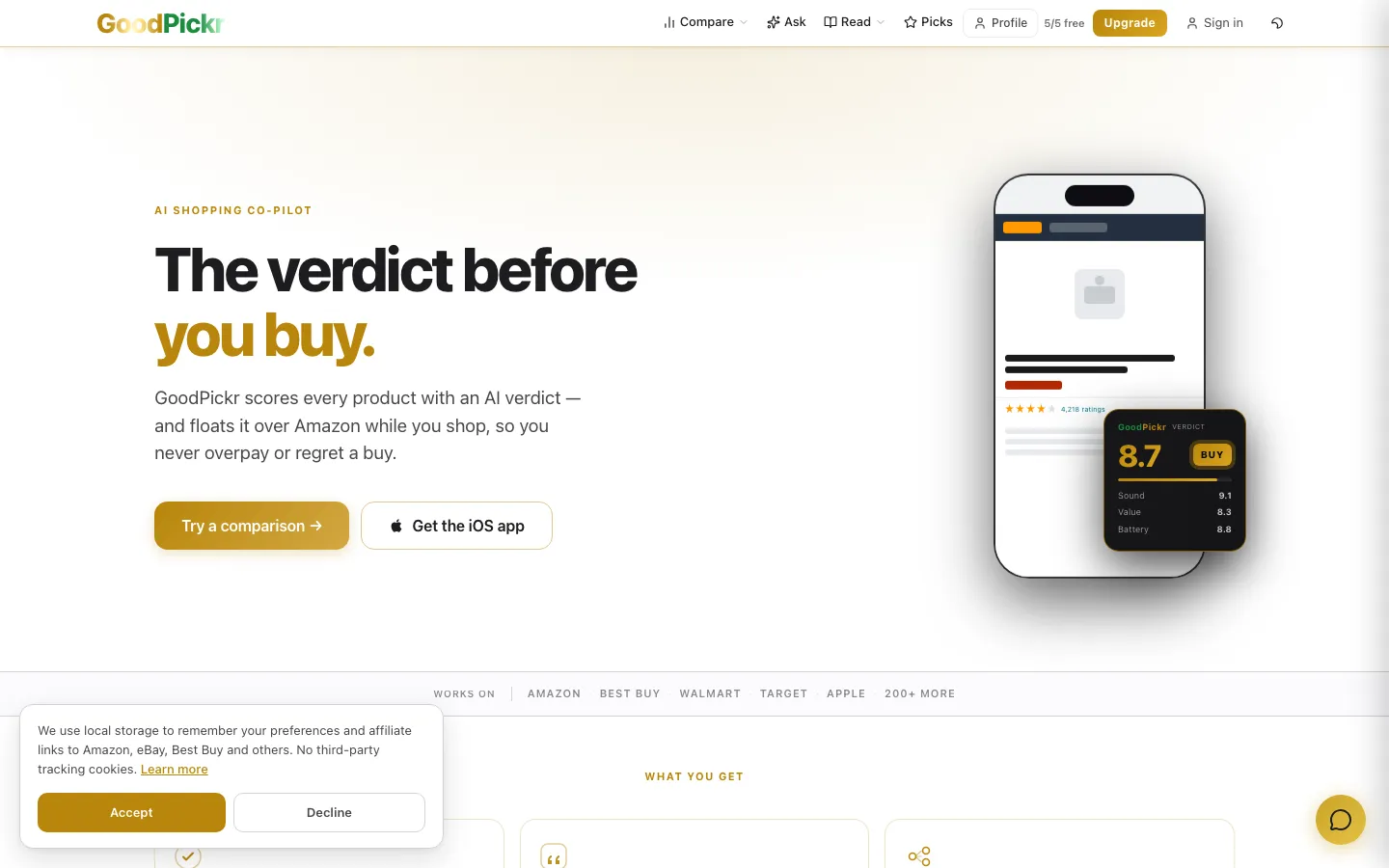
Real-time AI product comparison — streaming Claude analysis, ASIN-anchored Amazon picks, web and iOS. Built and maintained by GCP. Demonstrates streaming LLM integration, cost management at scale, and AI content SEO in production.

Visit live goodpickr.com →
NearFaith — AI church finder
AI PRODUCT · LIVE

NearFaith

SEO-first church finder with real Google Places data, AI-generated guides, and a Next.js architecture built to rank and scale. Demonstrates RAG-style content generation, structured data, and AI-powered data enrichment pipelines.

Visit live nearfaith.com →

How an AI engagement runs

Four stages. The first is one day. The last is a working production system — not a handoff deck.

1

Define the outcome 1 day

We map the workflow, agree on the success metric, and pick the AI shape — assistant, extractor, search, classifier, agent. No ambiguity before any code is written.

2

Working prototype week 1

Not slides. Working software that connects to your actual data and produces output you can evaluate. Real feedback comes faster when there's something real to react to.

3

Ship to production weeks 2–8

Real users. Real data. Real monitoring. We harden the build, wire logging and cost ceilings, and deploy to your environment — D365, Power Platform, or a standalone service.

4

Document and hand off final week

Runbook delivered, cost monitoring live, performance baseline captured. Optional monthly retainer if you want the feature to keep evolving alongside your Dynamics 365 CE environment.

Claude (Anthropic) GPT-4 / OpenAI Copilot Studio AI Builder Power Automate AI Streaming SSE RAG Vector Search Tool Use / Agents Vision Models Document Intelligence Dynamics 365 CE

Straight answers

How much does an AI consultant cost for a small business? +
Our AI engagements start with a fixed-scope AI Readiness Audit — contact us for current scope. Ongoing AI work is available as part of a monthly retainer (Essentials tier, roughly half a day per week). Scoped one-off builds are quoted to the specific engagement before any work begins.
How long does an AI project take for a small business? +
An AI Readiness Audit is delivered in five business days. A scoped single-feature build typically runs two to eight weeks depending on complexity — discovery in days, working prototype by end of week one, production deploy by week four to eight. We don't start broad implementations without a clear, documented outcome defined first.
Do I need a dedicated data team or data warehouse before hiring an AI consultant? +
No. Most small businesses have more usable data than they realize — it's sitting in their CRM, email, and documents. If you run Dynamics 365 CE, you already have structured contact, account, and activity data that can drive AI features without a data engineering team. We start from where you are, not from a greenfield ideal.
Is AI actually useful for a business our size, or is it just enterprise technology? +
The highest-ROI AI use-cases for small businesses are mundane: auto-drafting follow-up emails from CRM activity records, summarizing call notes into next steps, extracting structured data from PDFs and proposals, or surfacing which open deals have gone quiet. None of those require enterprise infrastructure. They require understanding your workflows and knowing how to connect an LLM to your existing data.
Can you add AI to our existing Dynamics 365 CE system without breaking what we have? +
Yes — that's the core of what we do. Copilot Studio, AI Builder, and Power Automate AI flows layer on top of existing D365 CE environments without requiring a data migration or platform change. We've wired AI into live CE instances across Sales, Customer Service, and Field Service modules. We know which integration patterns are stable and which ones create technical debt.
What does an AI consultant actually do — versus just selling us software? +
A practitioner-led AI consultant maps your actual workflows, identifies where AI reduces real operator burden, designs the integration, builds or configures the feature, ships it to production, and wires up cost monitoring so the bill doesn't surprise you. We don't resell platforms. We build features that run on those platforms and hand them off documented and working.
🩺

Start with a CE Health Check

Fixed-scope diagnostic. Full D365 CE audit, risk register, 90-day roadmap, and a 60-min debrief — in 5 business days. Full credit toward retainer. The natural first step if you're not sure whether your CE setup can support AI features.

Get the CE Health Check →
📋

See All Services & Retainer Tiers

AI, Dynamics 365 CE, and web — covered on a single monthly retainer. Scoped to your needs, monthly priorities, one senior partner throughout. Most clients who start with an AI project move here within 60 days.

Explore retainer tiers →

Serving AI consulting clients in the East Valley and beyond: Chandler · Gilbert · Scottsdale · Mesa · Queen Creek — and remotely, worldwide.

Go Deeper: AI in Dynamics 365 CE

Field-tested integration patterns — from Copilot Studio configuration to custom LLM connectors in live D365 CE environments.

Read the Guide →

Not sure where AI fits in your business?

Start with a conversation. We'll ask about your workflows, your data, and your team — and tell you honestly what's worth building and what isn't. If the right first step is the CE Health Check, we'll tell you that too.

AI Readiness Audit · Fixed-scope builds · Monthly retainer · One senior partner